
1. Apple Music Gets an AI Makeover
The standout feature of this update is the Playlist Playground (Beta). Leveraging Apple’s latest AI models, users can now generate custom playlists simply by typing a description. For example, you can prompt the app to “Create a 90-minute upbeat Bollywood mix for a morning run,” and it will generate a curated tracklist, title, and cover art.
Other Music Updates Include:
- Concerts: A new discovery tool that identifies upcoming live shows from artists in your library based on your current location.
- Offline Music Recognition: Shazam integration in the Control Center can now identify songs even without an internet connection, syncing the results once you’re back online.
- Ambient Music Widgets: New Home Screen widgets for “Sleep,” “Chill,” and “Productivity” provide one-tap access to curated background vibes.
2. The Great Keyboard Bug is Finally Dead
If you’ve been experiencing missed characters or stuttering while typing quickly on iOS 26, relief has arrived. The iOS 26.4 RC release notes specifically highlight “improved keyboard accuracy when typing quickly.” Early testers on social media report that the persistent lag and auto-correct glitches that plagued earlier versions of iOS 26 appear to be fully resolved.
3. Revolutionary Change for Family Sharing
In a major win for privacy and financial independence within the Apple ecosystem, Purchase Sharing has been revamped. Adult members in a Family Sharing group can now use their own individual payment methods for purchases. Previously, all purchases were billed to the family organizer’s credit card, a long-standing pain point for many users.
4. Fresh Visuals: New Emoji and Wallpapers
Apple continues to expand its digital lexicon with 8 new emoji, including:
- An Orca (Killer Whale)
- A Trombone
- A Ballet Dancer
- A “Distorted Face” (for those extra-stressful days)
- A Landslide and a Treasure Chest
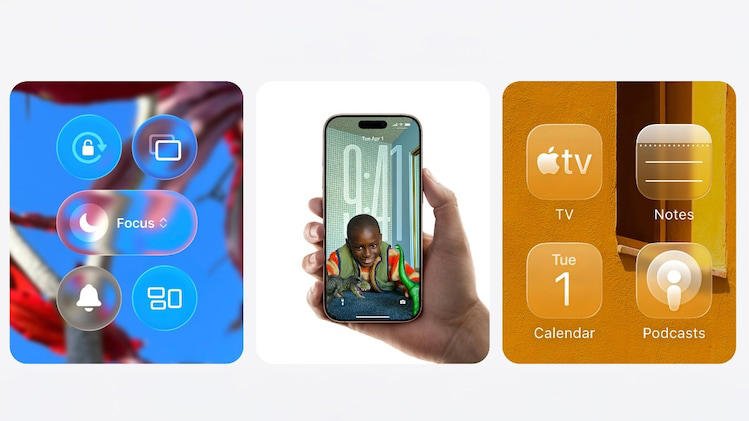
Additionally, the update introduces a revamped Wallpaper gallery with new “Liquid Glass” effects and optional downloads to save local storage space.
5. Security and Accessibility
- Stolen Device Protection: Now enabled by default for all users, adding a layer of biometric security for sensitive actions.
- Reduce Bright Effects: A new accessibility setting designed to minimize bright flashes or flickering in videos, helpful for users with light sensitivity.
- Freeform Upgrades: The brainstorming app gains advanced image creation tools powered by the new Apple Creator Studio.
Editorial Notes
This article covers the transition from Beta 4 to the RC phase of iOS 26.4, highlighting the most consumer-centric features. As this is a Release Candidate, users are advised that while stable, it is still technically pre-release software. A general public rollout is highly anticipated for early next week.